
To Cancel a Substack Subscription
Publication Support information

Dear Reader,
If you wish to cancel your subscription or paid subscription at any time, please follow these steps:
Log in to your Substack account via your computer or the app. (Please use the email address that you are receiving the publication.)
Click on your profile picture in the top right corner
Select Settings
You will see a list of all of the publications you are subscribed to
Click on the paid publication you want to cancel your subscription to.
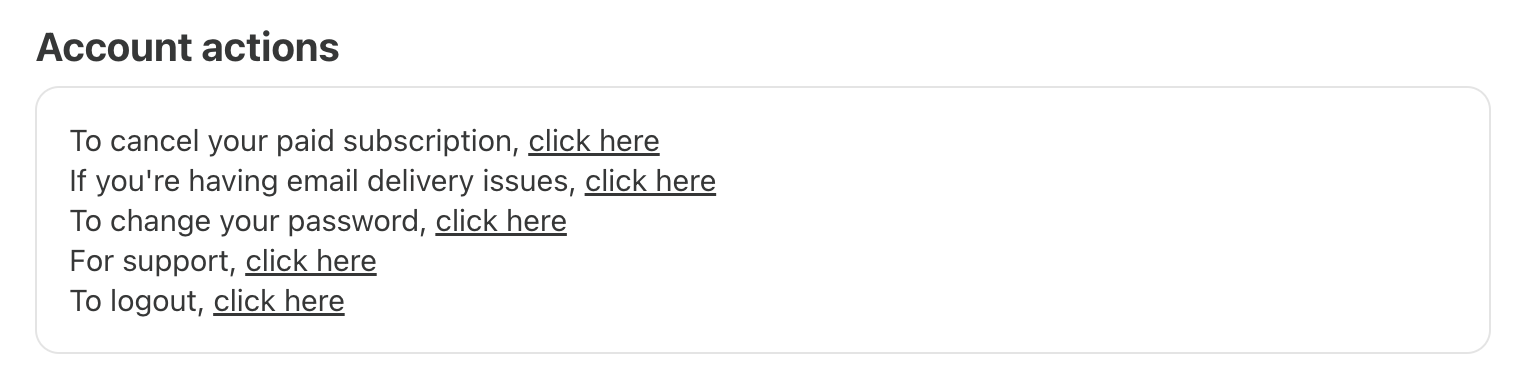
Scroll to the Account actions section of the subscription and click on the link next to “To Cancel Your Paid Subscription, Click Here”.
Next, select “Cancel Subscription”
If you’re currently reading the publication and wish to change your subscription
Go to your profile on the top right of the page
Click ‘Manage subscription
You’ll see the option to cancel your paid subscription at the bottom of the page.